

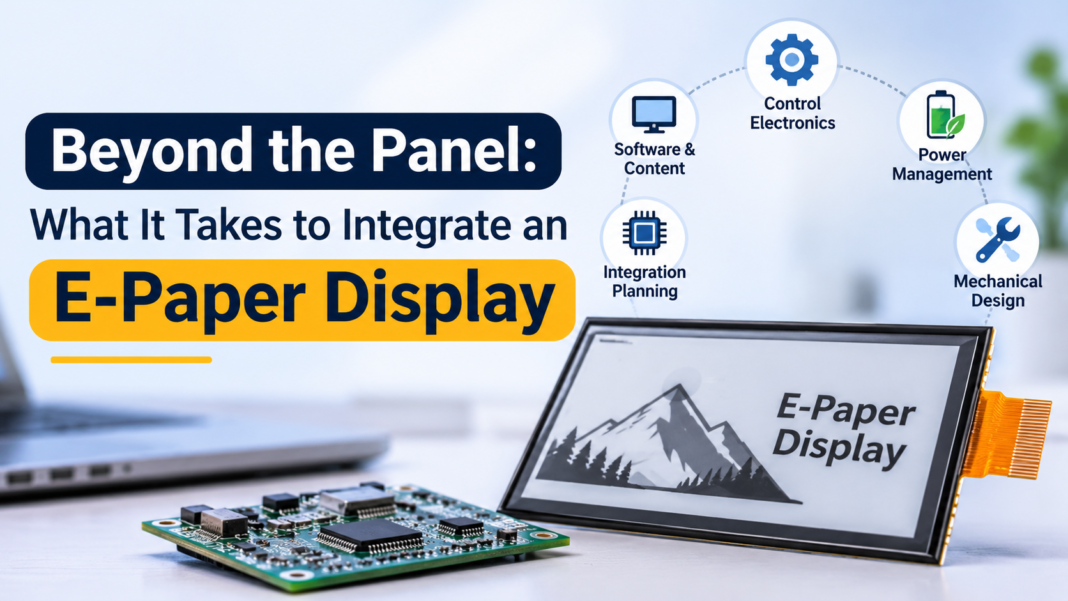
Selecting an e-paper panel is an important step in building a low-power display product, but it does not complete the design.
A production-ready device also needs compatible control electronics, a host interface, display-driving support, a content delivery workflow, and a plan for testing and maintenance.
For OEMs and system integrators, understanding these dependencies early can help reduce integration risk and prevent a promising panel from becoming a difficult product-development project.
1. Start With the Application, Not Just the Screen Size
Before comparing panels, define what the finished device must do.
Key questions include:
- Will the display show monochrome or color content?
- What resolution and viewing distance are required?
- How often will the displayed information change?
- Will the device operate indoors or outdoors?
- Is the system powered by a battery, mains electricity, or another source?
- Does the project require wireless connectivity or remote content management?
These requirements influence more than the display itself. They also affect the host processor, control board, power architecture, enclosure, and software.
For example, a static information display with occasional updates may have very different system requirements from a device that continuously retrieves data, processes it locally, and updates its screen according to external events.
2. Understand the Relationship Between the Panel and Controller
An e-paper panel typically requires compatible control electronics and a suitable driving method. The exact arrangement depends on the panel and the manufacturer’s implementation.
When evaluating integration options, confirm:
- Which controller or control board is supported
- How the host communicates with the display system
- Whether the required interface and signal timing are supported
- Which resolutions and color modes are available
- How initialization, refresh, and error handling are implemented
- Whether the necessary drivers and technical documentation are available
Interface compatibility should be confirmed against the actual hardware documentation. A connector that appears physically compatible does not necessarily guarantee electrical or software compatibility.
The controller also affects the overall system architecture. Depending on the application, the host processor may generate the display image and send it to the controller, or the system may use a more integrated processing arrangement.
3. Treat Display Refresh as a System-Level Function
E-paper refresh behavior differs from that of conventional LCDs. Depending on the technology, refresh operations may have different timing, visual characteristics, and power requirements.
This matters when designing the software workflow.
The application should determine when the display needs to update, how to handle interrupted updates, and how to recover after a restart or communication failure. It should also account for the possibility that different types of content or refresh modes behave differently.
A useful validation plan includes:
- Updating the display with representative text and images
- Testing repeated updates over the expected operating cycle
- Checking for unwanted residual image artifacts
- Verifying recovery after a power interruption
- Measuring system energy consumption during updates
- Confirming that the displayed information remains correct after an update failure
These tests should be performed on the intended panel and controller combination rather than relying exclusively on general technology descriptions.
4. Plan the Software and Content Pipeline
The display is only the final step in a content workflow. A complete product may need to retrieve information, transform it into a suitable layout, render an image, transfer that image to the display subsystem, and confirm the update.
Depending on the deployment, the software architecture may include:
- An embedded host application
- Local image or layout generation
- Network communication and data synchronization
- A content management system
- Remote device configuration and monitoring
- APIs or SDKs for integration with existing platforms
Not every product needs all of these components. A standalone device may use a simple local workflow, while a distributed signage network may require centralized scheduling, remote diagnostics, and fleet management.
The key is to define the software boundary early. Clarify which functions are handled by the panel controller, which belong to the host device, and which are provided by external software or cloud services.
5. Evaluate Power Across the Entire Device
E-paper is often selected for its ability to retain static content with low display-related power requirements. But the energy consumption of the complete device depends on its architecture and usage pattern.
The host processor, wireless modem, sensors, storage, and power-conversion circuitry can all contribute to the total energy budget.
For a battery-powered product, engineers should measure consumption during at least three operating states:
- Idle or content-hold state: The display is showing existing information.
- Update state: The system retrieves, processes, and refreshes content.
- Communication state: The device exchanges data with a server or management platform.
Measurements should reflect realistic network conditions and update schedules. This gives the team a more useful basis for battery sizing and maintenance planning than a display-only power figure.
6. Validate the Mechanical and Environmental Design
A panel that works on a development bench may require additional engineering before it can be installed in a commercial product.
The mechanical design should account for mounting, cable routing, connector access, protection of sensitive components, thermal behavior, and the intended operating environment.
For outdoor applications, the enclosure and assembled device must be assessed against the project’s requirements for temperature, moisture, dust, sunlight exposure, and mechanical stress.
It is also worth considering how the device will be serviced. A replaceable controller, accessible power components, and a clear diagnostic process can simplify maintenance across a large installed base.
7. Choose an Integration Partner Based on More Than Panel Availability
For an OEM project, the supplier’s ability to provide a display is only one part of the evaluation.
Useful questions include:
- Can the supplier explain the panel-controller compatibility requirements?
- Are interface documentation and software resources available?
- Can the proposed configuration be evaluated with a working sample?
- Is technical support available during integration and validation?
- Can the design accommodate the intended enclosure, power source, and connectivity?
- Are production, quality, and lifecycle-support expectations clearly defined?
A representative prototype can expose integration issues before the project moves into pilot production. It also allows the engineering team to validate image quality, refresh behavior, power use, and software compatibility under realistic conditions.
Conclusion
Integrating an e-paper display requires coordinated decisions across hardware, firmware, power management, content delivery, and mechanical design.
The most effective approach is to define the end application first, confirm the panel and controller requirements, design the content workflow, and validate the complete device before scaling production.
For teams evaluating large-format applications, MyGica’s e-paper display solutions are a relevant starting point for exploring display options. The final configuration should be selected according to the required display technology, integration interfaces, operating environment, and system architecture.
A successful e-paper product is not simply a panel that displays an image. It is a complete system that can display the right information, update it reliably, and operate within the project’s technical and commercial constraints.


I’ve tried a few platforms lately and this one is surprisingly smooth. The login process is fast and I didn’t run into any lag. Definitely a solid choice for anyone looking for a reliable spot. Check out mawinbetlogin for a great experience!